


 4.2
4.2




About Google Earth
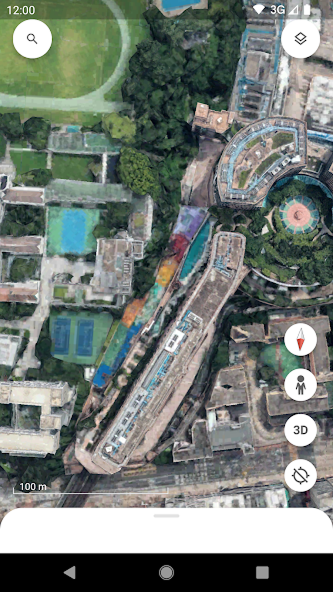
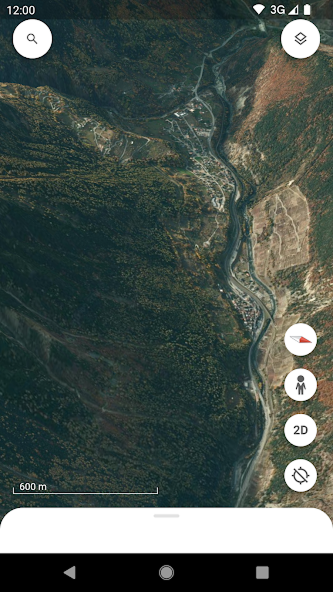
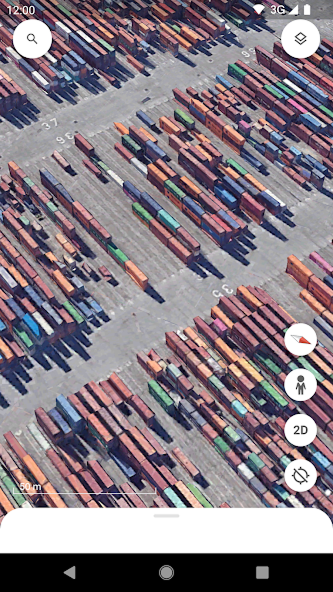
Google Earth takes exploration and discovery to the next level, offering an immersive and data-driven way to view our planet. Whether you want to visualize landscapes, study global changes, or simply marvel at the beauty of Earth, this app provides a stunning window into the world. With high-resolution satellite imagery, interactive maps, and detailed 3D renderings, it allows users to explore the planet from any angle, right from their device.
The new Google Earth makes it simple to create and collaborate on personalized maps. From planning trips with friends to designing projects for school or work, its collaborative features help bring data and creativity together seamlessly. The ability to annotate, layer information, and share maps ensures that your explorations are not just for personal use, but can be turned into powerful visual stories for others.
Explore the World in Unprecedented Detail
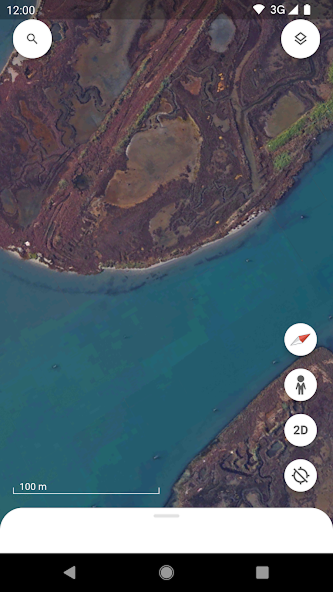
With high-resolution satellite imagery, Google Earth lets you see the planet with remarkable clarity. Fly over mountains, rivers, and deserts, zoom into coastal lines, or admire lush rainforests—all from the comfort of your screen. Hundreds of cities are brought to life with realistic 3D buildings and terrain, making it easy to virtually explore urban landscapes as if you were walking through them in person.
Street View: A Ground-Level Perspective
Beyond aerial views, Street View integration allows you to dive straight into streets and neighborhoods with full 360° perspectives. Wander down historic avenues, explore famous landmarks, or simply preview a destination before your next trip. It’s like teleporting anywhere in the world within seconds.
Create, Collaborate, and Share
One of the most powerful aspects of the new Google Earth is its collaborative map creation. You can build data-driven projects, add pins, text, images, and even videos to tell compelling stories about places that matter to you. Share your maps with others to brainstorm ideas, present research, or simply inspire friends with your discoveries.
Educational and Practical Uses
From classrooms to professional projects, Google Earth serves as an essential tool for visual learning and global understanding. Teachers can bring geography lessons to life, scientists can track environmental changes, and businesses can visualize data across regions. Its intuitive interface makes it accessible to learners, travelers, and professionals alike.


Pros
Stunning high-resolution satellite imagery and realistic 3D models
Street View provides immersive, on-the-ground exploration
Easy-to-use tools for creating and collaborating on maps
Educational applications for schools, research, and data analysis
Free to use with global accessibility

Cons
Some remote regions may lack detailed 3D coverage
Requires stable internet for the best experience
Ratings
This number is based on download statistics from Google Play and may include historical
data.