



 4.4
4.4
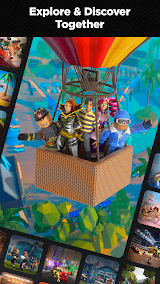
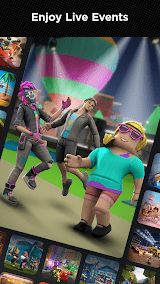
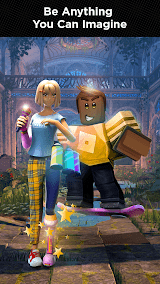
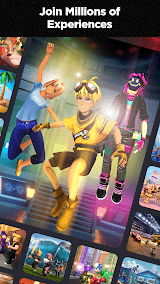




About Roblox
Instead of being an individual game, Roblox is an enormous collection of fan-created worlds to which you can ascend into, accessible through a single application. By viewing it the first time, the home tab already displays dozens of thumbnails that are organized into the following rows: Popular, Up and coming, and personalized based on what similar players like, therefore, a visitor will seldom be left staring at a blank page and wonder what to do next.
The process of creating an account takes approximately a minute: you select your birthday, a user name and a password and are hurled into a very crowded home page that features games, friend requests and events all competing to draw your attention. For most new users, the next instinct is to tap "Avatar." This becomes an early hook: swapping hairstyles, trying free shirts, experimenting with skin tones, and watching in real time as the character updates is satisfying even before playing anything. Many players spend their first half hour just dressing a character that feels "like them" using completely free catalog items.
Once ready to play, the quickest way to find something fun is to look for genres, rather than specific titles. Typing “obby,” “simulator,” or “tycoon” pulls up thousands of experiences, but quality varies wildly. New users gravitate toward big, polished names like Brookhaven RP, Adopt Me!, and Blox Fruits due to the fact that these usually load reliably, have clear objectives, and support phone-friendly controls. On mobile, the movement is performed with the help of a virtual joystick and a jump button; on a PC, WASD and spacebar are used as with most typical games.
Performance on the moment-to-moment basis is quite dependent on the game that you play and the device in which you play. On a mid-range Android phone, lightweight obby games and social hangouts usually feel smooth, but effects-heavy fighting games or huge role-play cities can stutter-especially when a server fills with 30 or more players, and dozens of scripted systems run all at once. Younger users often assume “Roblox is laggy,” when in reality specific games are poorly optimized, or the phone’s thermal throttling kicks in during long sessions.
For parents and cautious users, safety settings matter more than graphics. Inside the Settings menu, you can lock down who can chat, who can join your games, and whether account changes require a PIN. Email verification and two‑factor authentication significantly reduce the chance of losing the account to phishing or social engineering scams, which have affected even paying users. With privacy tightened, Roblox becomes closer to a curated playground of favorite worlds shared mostly with classmates and known friends.
It is at this stage that Roblox will begin to feel special as one attempts to create something on their own. When Roblox Studio is installed on a PC or put together on a Mac, it looks like a professional editor with absolutely templates of obbies, racers, and combat arenas, and a bunch of built-in tutorials, which can guide a complete beginner through the placement of blocks to publishing a small platformer in under an hour. And in no time at all, non-coders get to know that they can easily reshape existing models, as well as utilize basic triggers, whereas more ambitious users get to work with Lua scripts, where they can create their own powers, shops, and save systems. There are no hosting costs, and as soon as you press the Publish button, friends will be able to open your world right on the main app as with any other game.
The most surprising aspect, in terms of user-experience, is the feeling of social everything. Friend lists, in-game chat, and internal Friend requests turn Roblox into something that is more of a virtual mall than a stagnant library: you see what your friends are in-game, and you can teleport to there and into their server without having to enter these manually server IP. It is incredibly easy to make spontaneous playdates this way, though in-fashion experiences also may sound noisy and chaotic, particularly to younger children who are not used to rapid movement of chat windows.
All in all, Roblox can make users be enticed by the ability to condense an immense amount of kid-friendly, teen-friendly, and even hobbyist-grade content into a single client that can be played on phones, tablets, and PCs that you likely already have. Their trade-offs are quite obvious: you receive unlimited free games, powerful social applications, and a way out of the player to the creator, but you tolerate the fact of poor quality, occasional malfunctions, and the necessity to spend time on all the safety settings in case the account is that of a child. To the vast majority of users and parents who may want to adjust those settings, Roblox seems more like an experiment that can be shaped and molded and turned into a different digital playground.


Features of Roblox
Unlimited creative freedom to design custom three-dimensional games using the Studio software.
Universal access is made possible by compatibility across PC, mobile console devices.
Real-time multiplayer synchronization-successful simultaneous collaboration around the world.

Pros
Empowers developers earning legitimate income from innovative game design around the world.
Numerous moderators reduce harmful interactions significantly across the platform.
Harmful social hangout interactions were reduced by percentage due to behavior prediction tools.

Cons
Games which are poorly optimized, contributing to a lot of lag, give users a very poor gaming experience.
Moderation system bypasses allow for coded phrases to replace banned inappropriate terminology.
Ratings
This number is based on download statistics from Google Play and may include historical
data.