


 4.4
4.4










About QR Code Reader: QR Scanner
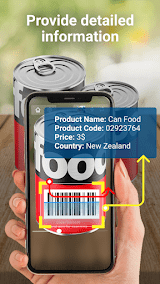
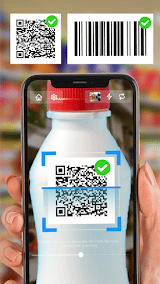
This is a convenient QR code scanning app designed to provide users with the ability to quickly decode and recognize QR codes. It is a powerful QR code scanning app with fast and accurate scanning and decoding capabilities. In my testing, I found that the app's scanning speed is so fast that it can recognize QR codes almost instantly. Whether in malls, supermarkets or online shopping, the app is able to quickly scan QR codes to provide users with a convenient shopping experience.
In addition, the app also has a high decoding accuracy. Whether it is a QR code containing information such as a website address, contact details, text or email, the app is able to accurately decode and display the relevant content. In my tests, there were almost no decoding errors or misreadings, which is a very reliable feature.
Another feature I like is the user interface of the QR Scanner is clean and simple. The app provides a large and obvious scan button in the scanning interface, and users simply point the QR code at the camera and click the scan button to scan. In addition, the app also provides a history function, so that users can view previously scanned QR codes. This intuitive design makes QR Code Reader: QR Scanner easy to pick up, even for new users.
In addition to the above features, QR Code Reader: QR Scanner also offers a number of other convenient features. For example, users can choose to copy the decoded content to the clipboard for use in other applications. In addition, the app also supports the generation of custom QR codes, and users can convert their text, links or contact details into QR codes for sharing.
All in all, the app is a powerful and convenient QR code scanning app. It has fast and accurate scanning and decoding capabilities, and the user interface is clear and easy to use. The app also offers practical features such as history, clipboard copying and custom QR code generation. Despite the AD display and privacy concerns, overall, QR Code Reader: QR Scanner is a recommended QR scanning app. Whether in shopping, information sharing or other fields, it can provide users with a convenient and quick QR code recognition experience.


Features of QR Code Reader: QR Scanner
Fast scanning: the app has fast and accurate scanning capabilities, which can decode and display the contents of QR codes almost instantly.
Decoding accuracy: Whether it is a QR code containing information such as web address, contact information, text or email, the app can accurately decode and display the relevant content.
User interface is simple and clear to see: QR Code Reader: The user interface of QR Scanner is simple and clear, the scanning button is obvious, and the use is intuitive, even for new users can quickly get started.

Pros
History function: The app provides history function to facilitate users to view the previously scanned QR code.
Copy to Clipboard: Users can choose to copy the decoded content to the clipboard for use in other applications.
Generate a custom QR Code: QR Code Reader: QR Scanner can generate a custom QR code, which allows users to convert their text, link or contact information into a QR code for sharing.

Cons
Advertising display: Some users report that there are advertising displays in the application, which may cause certain interference to the user experience.
Privacy issues: As a scanning application, users need to pay attention to the protection of personal privacy, so as to avoid the abuse or disclosure of the information contained in the two-dimensional code.
Ratings
This number is based on download statistics from Google Play and may include historical data.